General |
  
|
General |
|
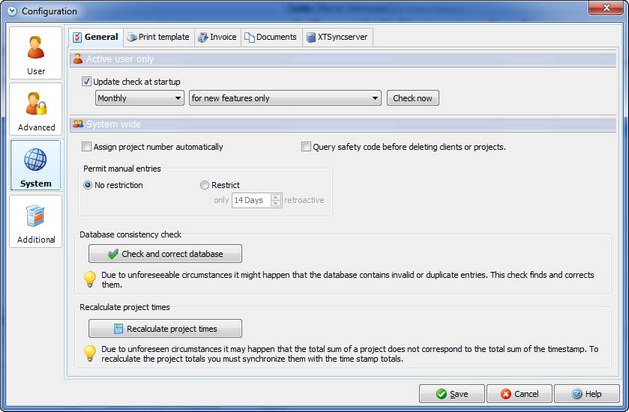
Update check at startup |
Automatically check if there is an update on the internet for your Xpert-Timer. Please double check if the english version is chosen, when you download the update. It should be XTInstEN.exe or XTInstBasicEN.exe |
Assign project number automatically |
Instead of entering your own project number, you can have the system create one for your. |
Query safety code before deleting clients or projects |
If you activate this function you'll be asked to enter a simple question before you delete projects or clients. This might be helpful if you repeatedly delete projects on accident. |
Database consistency check |
If your Xpert-Timer suddenly shows wrong total minutes or you get an unexpected error message, use this function. You cannot break anything by using this. Xpert-Timer double-checks the entries in your database and repairs them if necessary |
Recalculate project times |
If you move your project times around a lot by deleting, drag&drop etc. you can recalculate the times here, if they are displayed wrong in your project manager. FYI: The times in the timestamp list are always correct...no matter what. |